Best USB Microphones for Every Use

The best USB microphone depends on your room more than your budget. For most people the Sennheiser Profile is the easy pick: its gain knob, mute button, and headphone jack are all on the mic. On calls or in a noisy room, a dynamic mic like the Shure MV6 Gen 2 hears less of the background. In a quiet room, a condenser like the RØDE NT-USB+ captures more detail.

Quick picks: the best USB mic for each use

Pick by the job first. For calls and podcasts in an ordinary room, choose a dynamic mic you speak into from close up. For streaming in a quiet room or recording vocals, a condenser gives a fuller, more detailed sound. If you might add an audio interface later, a USB plus XLR hybrid keeps that door open. Price bands: $ is under $60, $$ is $60 to $160, $$$ is over $160.

As an Amazon Associate, we earn from qualifying purchases.

Side-by-side specs

PickBest forTypeConnectionHeadphone jackGain knobMutePrice
Sennheiser ProfileBest overallCondenserUSB-CYesYesButton$$
Shure MV6 Gen 2Video callsDynamicUSB-CYesApp onlyTap$$$
HyperX QuadCast 2Streaming and gamingCondenserUSB-CYesYesTap$$
RØDE PodMic USBPodcasting (best voice quality)DynamicUSB-C + XLRYesApp onlyNo button$$$
RØDE NT-USB+Vocals and voice overCondenserUSB-CYesNoNo$$$
FIFINE K669BBudgetCondenserUSBNoYesNo$
RØDE NT-USB MiniCompact desk or laptopCondenserUSB-CYesNoNo$$
Shure MV7+USB and XLRDynamicUSB-C + XLRYesApp onlyTouch$$$

Specs come from each maker's product page or datasheet, linked in each pick below. Where a maker does not publish a spec, we leave it out rather than guess.

How we chose these microphones

We did not test these microphones hands-on. We chose them from published maker specifications and named reviews, and matched each one to the job it suits: capsule type, pickup pattern, connection, monitoring, and controls. Anything a maker does not publish, such as some bit-depth figures, is left off this page.

We checked each spec against the manufacturer's product page or datasheet on November 4, 2026, and each link goes to that model's Amazon product page. Check the listing for the right generation: MV6 Gen 2, not the first MV6; QuadCast 2, not the 2 S. A few limits come from published reviews or maker FAQs, and we name the source where it matters. When a retailer listing disagreed with the maker, we went with the maker.

We left out exact prices and star ratings on purpose. Prices change daily, so each pick shows a price band instead, and we have no hands-on scores to give. What we can tell you is what each mic is built to do and the honest trade-off that comes with it.

The picks, in detail

Each pick lists what the maker confirms, the limits worth knowing before you buy, and a lower-cost alternative where one fits the same job. Product photos come from each maker.

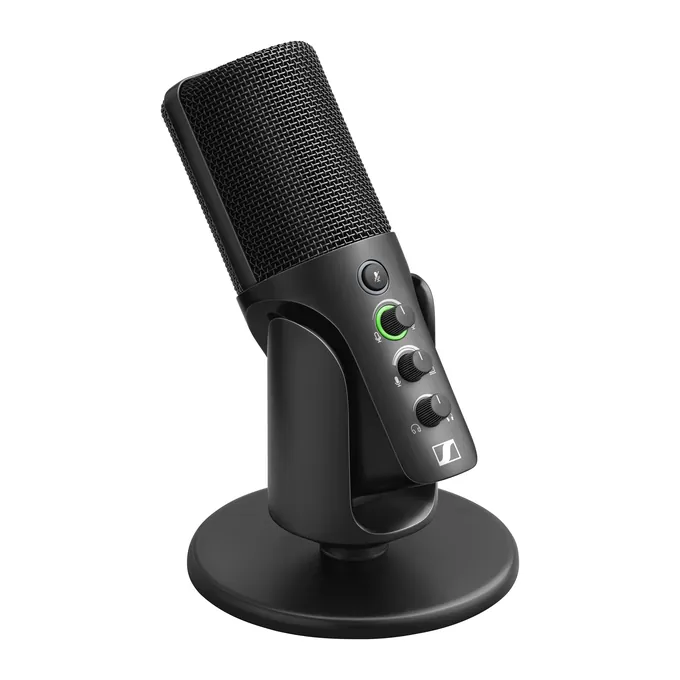
Sennheiser Profile USB microphone in black on its round table stand, with the gain, mix and headphone knobs on the front

Image: Sennheiser

  • Type Condenser, cardioid
  • Connection USB-C
  • Headphone jack Yes, 3.5 mm
  • Gain knob Yes
  • Mute Button
  • Recording Up to 24-bit / 48 kHz
  • Price band $$ ($60 to $160)
Check price on Amazon

Maker specs: Sennheiser Profile product page. The Streaming Set adds a boom arm; the plain mic comes with a table stand.

Best overall

Sennheiser Profile

The easiest good-sounding USB mic: plug it in and every control you need is on the mic.

Sennheiser built the Profile so you never open an app. A gain knob with an LED ring that also warns you about clipping, a mute button, a mix control, and a headphone volume knob all sit on the mic. It records at up to 24-bit / 48 kHz over USB-C and works with Windows, Mac, Android, and USB-C iPads without drivers. PCMag gave the Profile Streaming Set (the same mic plus a boom arm) its Editors' Choice in its 2023 review.

Good to know

  • Gain knob with an LED ring that shows clipping
  • Mute button with its own LED
  • Headphone jack with a mix control for monitoring
  • Table stand and 1.2 m USB-C cable included

Limits

  • No companion app, so no EQ or effects presets (PCMag)
  • No pop filter in the box
  • As a condenser, it hears more of a noisy room than a dynamic mic
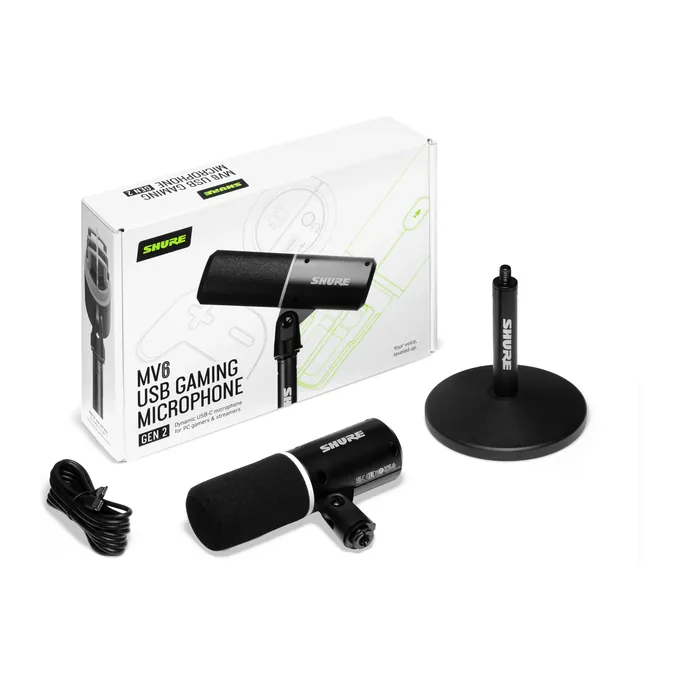
Shure MV6 Gen 2 USB microphone in black with its desktop stand, USB-C cable and Gen 2 retail box

Image: Shure

  • Type Dynamic, cardioid
  • Connection USB-C
  • Headphone jack Yes, 3.5 mm
  • Gain knob No (app or Auto Level)
  • Mute Tap-to-mute
  • Price band $$$ (over $160)
Check price on Amazon

Maker specs: Shure MV6 product page. Make sure the listing says Gen 2; the first generation is still sold.

Video calls

Shure MV6 Gen 2

The call mic: it hears your voice and very little of the room around you.

A dynamic cardioid capsule hears what is right in front of it, which is what a home office needs. Shure's MOTIV Mix software adds Auto Level, an adjustable Real-time Denoiser, Voice Isolation, a 5-band EQ, and a Digital Popper Stopper, so your voice is cleaned up before it reaches Zoom or Teams. The Gen 2 adds a 3.5 mm headphone jack. Shure markets it as a gaming mic; calls are our framing.

Good to know

  • Tap-to-mute button with a color-changing light
  • Headphone jack for hearing yourself with no delay
  • Works with PC, Mac, Android, and iPhone or iPad
  • 12 cm desk stand and 2 m USB-C cable included

Limits

  • No physical gain knob: set the level in MOTIV Mix or leave it on Auto Level
  • Shure says console support can vary
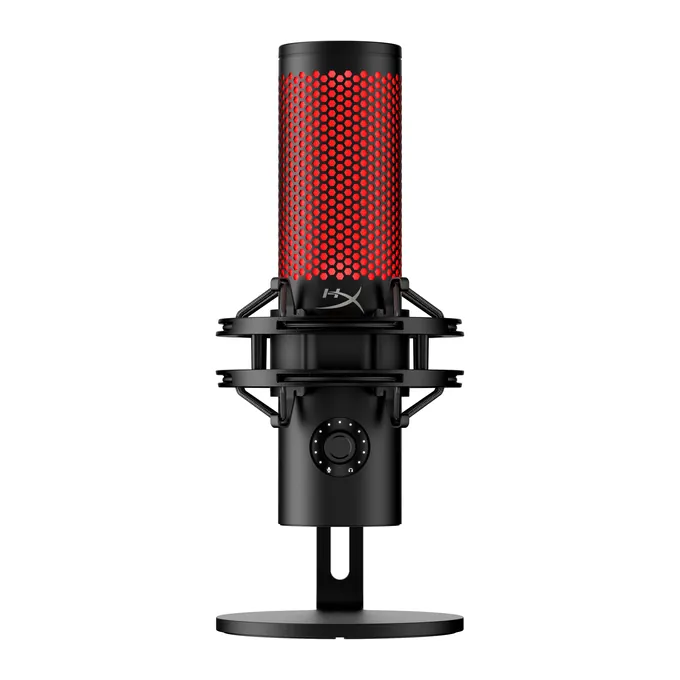
HyperX QuadCast 2 USB microphone in black with red lighting, in its shock mount on the desktop stand

Image: HyperX

  • Type Condenser, 4 patterns
  • Connection USB-C
  • Headphone jack Yes, 3.5 mm
  • Gain knob Yes (multifunction)
  • Mute Tap-to-mute
  • Price band $$ ($60 to $160)
Check price on Amazon

Maker specs: HyperX QuadCast 2 product page. Check the listing says QuadCast 2, not the QuadCast 2 S or the original QuadCast.

Streaming and gaming

HyperX QuadCast 2

A plug-and-play streaming mic with everything on the mic and a built-in shock mount.

Three condenser capsules give you four pickup patterns: cardioid for your voice, plus omni, stereo, and bidirectional for two people or an instrument. A tap-to-mute sensor sits on top, and one knob handles gain, headphone volume, monitoring, and the pattern. It records at up to 24-bit / 96 kHz and HyperX lists PC, Mac, PS4, PS5, Nintendo Switch, and Steam Deck support. PCWorld and TechRadar both reviewed it favorably.

Good to know

  • Shock mount and desk stand built in
  • Headphone jack for monitoring
  • USB-C cable plus a USB-A adapter in the box
  • Works with PS5 and Switch, per HyperX

Limits

  • The one-knob control takes getting used to (PCWorld)
  • The lighting is red only (TechRadar)
  • As a condenser, it hears more of a noisy room
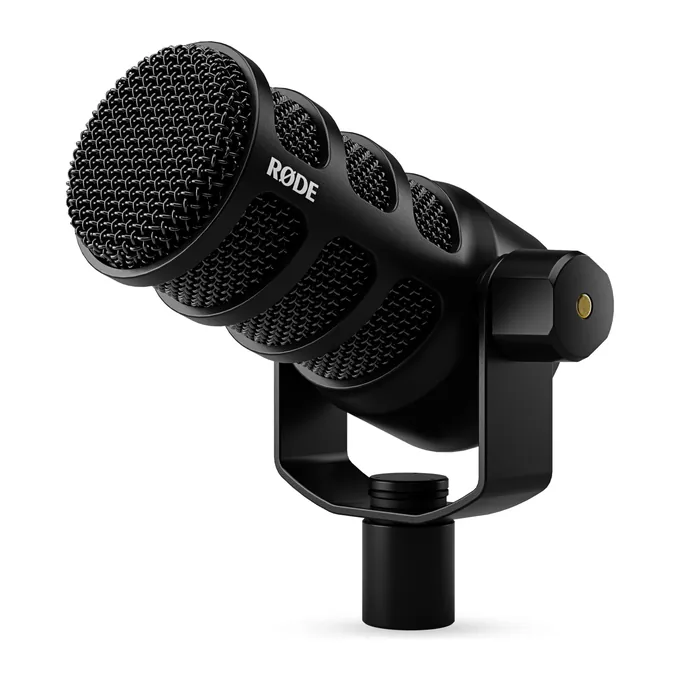
RØDE PodMic USB dynamic microphone in black on its swing mount, seen from a three-quarter angle

Image: RØDE

  • Type Dynamic, cardioid
  • Connection USB-C and XLR
  • Headphone jack Yes, zero-latency
  • Gain knob No (software)
  • Recording 24-bit / 48 kHz
  • Price band $$$ (over $160)
Check price on Amazon

Maker specs: RØDE PodMic USB.

Podcasting (best voice quality)

RØDE PodMic USB

The best-sounding voice mic here, if you can give it a boom arm and a quiet corner.

A dynamic broadcast mic you speak into from close range, with RØDE's Revolution Preamp and APHEX processing (compressor, noise gate, high-pass filter, Aural Exciter, and Big Bottom) through RØDE's free apps. It records at 24-bit / 48 kHz over USB-C, and the XLR output means it still works if you move to an audio interface. The headphone output gives you zero-latency monitoring.

Good to know

  • USB-C and XLR on one mic
  • Zero-latency headphone output with volume control
  • Internal pop filter and shock mount, plus a swing mount
  • 3 m USB-C cable included

Limits

  • It weighs 900 g and has no desk stand, so plan on a sturdy boom arm
  • No physical gain knob or dedicated mute button; both live in RØDE's software
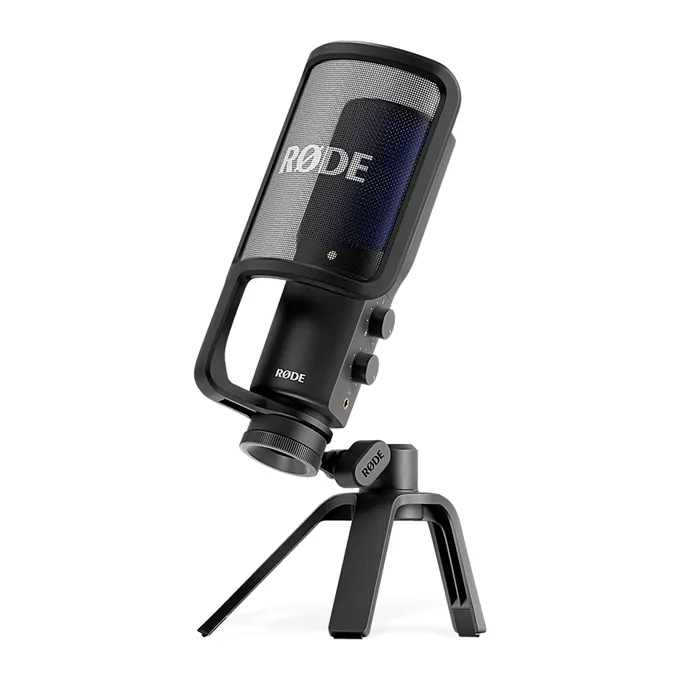
RØDE NT-USB+ USB condenser microphone with its pop filter attached, on the small tripod desk stand

Image: RØDE

  • Type Condenser, cardioid
  • Connection USB-C
  • Headphone jack Yes, zero-latency
  • Gain knob No
  • Recording 24-bit / 48 kHz
  • Price band $$$ (over $160)
Check price on Amazon

Maker specs: RØDE NT-USB+.

Vocals and voice over

RØDE NT-USB+

The detail mic: in a quiet room it captures more of your voice than any dynamic here.

A studio-style condenser with a tight cardioid pattern, aimed at singing, instruments, and voice over in a quiet room. The headphone output has its own volume and mix controls, so you can balance your voice against a backing track. RØDE's apps unlock APHEX processing such as a compressor, noise gate, and high-pass filter.

Good to know

  • 24-bit / 48 kHz over USB-C
  • Zero-latency headphone output with volume and mix
  • Pop filter and desk stand included
  • Lightning iPhones need RØDE's SC19 cable, sold separately

Limits

  • As a condenser, it sounds best in a quiet or treated room
  • No mute button and no gain knob on the mic
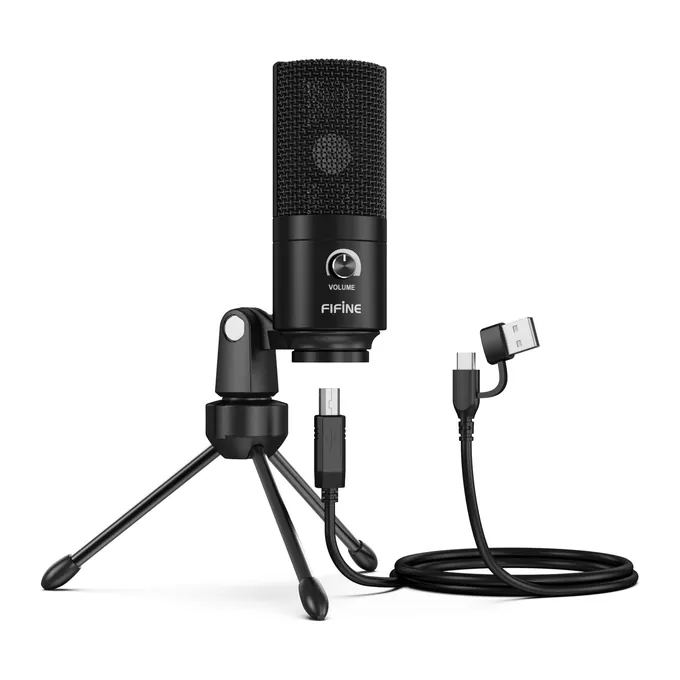
FIFINE K669B USB condenser microphone in black with a volume knob, on its tripod stand with the USB cable

Image: FIFINE

  • Type Condenser, cardioid
  • Connection USB
  • Headphone jack No
  • Gain knob Yes
  • Mute No
  • Price band $ (under $60)
Check price on Amazon

Maker specs: FIFINE K669B.

Budget

FIFINE K669B

The cheapest real upgrade over a built-in laptop mic.

A simple cardioid condenser with a tripod stand and one volume knob, for anyone upgrading from a laptop's built-in mic without spending much. It needs no drivers. On a Mac, choose "USB PnP Audio Device" as the input. FIFINE says it works with PS4 and PS5.

Good to know

  • Volume knob; turning it to zero works as a privacy setting
  • Tripod stand with a standard 5/8" thread
  • No drivers or software

Limits

  • No headphone jack and no mute button
  • As a condenser, it picks up background noise
  • FIFINE says it does not work with Xbox and is not recommended for phones
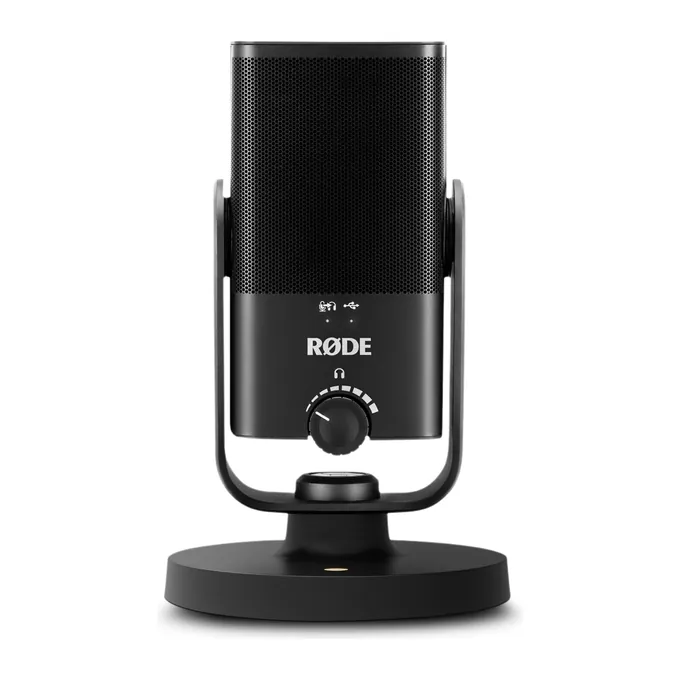
RØDE NT-USB Mini compact USB microphone in black on its round magnetic desk stand, front view

Image: RØDE

  • Type Condenser, cardioid
  • Connection USB-C
  • Headphone jack Yes, switchable zero-latency
  • Gain knob No
  • Size 89 x 141 mm
  • Price band $$ ($60 to $160)
Check price on Amazon

Maker specs: RØDE NT-USB Mini. Many listings are bundles from other sellers; the link goes to the plain mic.

Compact desk or laptop

RØDE NT-USB Mini

The small mic that still sounds like a studio mic.

A small condenser with a built-in pop filter and a magnetic desk stand, sized for a crowded desk next to a laptop. It has a real headphone jack with switchable zero-latency monitoring, which few mics this size offer. It records at 24-bit / 48 kHz and needs no drivers.

Good to know

  • Built-in pop filter
  • Detachable magnetic stand with a 360-degree swing mount
  • Switchable zero-latency monitoring
  • RØDE Connect adds a noise gate, compressor, and APHEX processing

Limits

  • No mute button or gain knob on the mic
  • About 585 g with the stand: compact, not light
  • Hears the room like any condenser
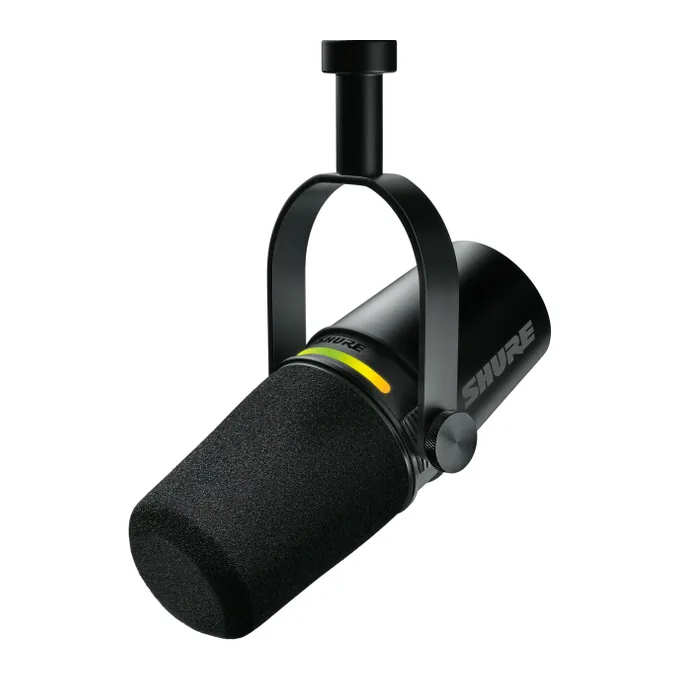
Shure MV7+ podcast microphone in black hanging from its yoke mount, with the colored LED touch strip lit

Image: Shure

  • Type Dynamic
  • Connection USB-C and XLR
  • Headphone jack Yes, 3.5 mm
  • Gain knob No (app or Auto Level)
  • Mute Touch panel
  • Price band $$$ (over $160)
Check price on Amazon

Maker specs: Shure MV7 family page. Make sure the listing says MV7+; the original MV7 is still sold.

USB and XLR

Shure MV7+

The mic that grows with you: USB-C today, an audio interface tomorrow.

A dynamic podcast mic with both USB-C and XLR outputs: plug it into a laptop or iPhone now, and into an audio interface later without buying a new mic. MOTIV Mix adds Auto Level, a Real-time Denoiser, and Voice Isolation for rooms that are not quiet. The LED touch panel mutes with a tap and doubles as a live level meter.

Good to know

  • Dual USB-C and XLR outputs
  • 3.5 mm headphone jack for latency-free monitoring
  • LED touch panel: tap to mute, shows your level

Limits

  • No physical gain knob; gain lives in the app or Auto Level
  • The base model ships without a stand

Gear that makes any USB mic sound better

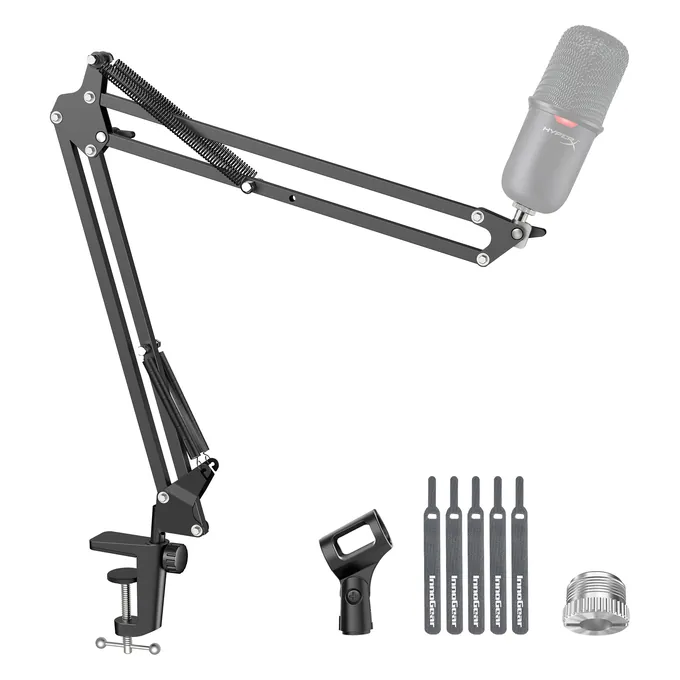
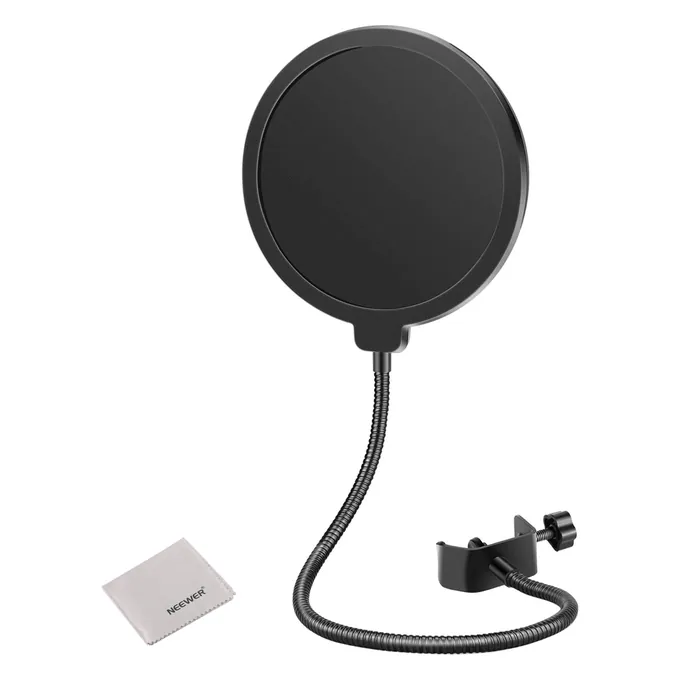
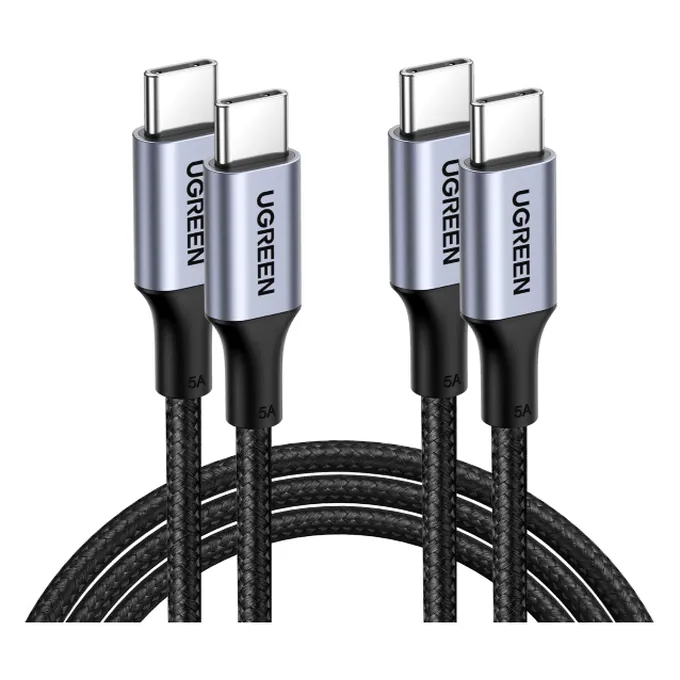
The cheapest upgrade to a USB mic is usually not a new mic. Getting it closer to your mouth, taming the pops on P and B sounds, and giving it a cable long enough to reach help any of the picks above. These are popular, well-rated picks; check that each one fits your mic before you buy. Price band: $ is under $25.

We chose these from popular, well-rated listings and did not test them ourselves.

Dynamic vs condenser USB mics, and pickup patterns

Dynamic mics are less sensitive by design, which helps them reject background noise, but you need to speak close, about 2 to 6 inches away. Condensers are more sensitive and can sit 4 to 8 inches away, but they are more likely to pick up background noise in a room that is not soundproofed.

That guidance comes from RØDE's dynamic vs condenser guide. The practical version: if you share a room, live near traffic, or have a loud PC fan, start with a dynamic. If your room is quiet and you want detail in your voice or an instrument, a condenser rewards you.

Why the pickup pattern matters

The pattern describes which directions a mic hears. Cardioid mics, the pattern on most of these picks, have their maximum rejection directly behind the mic and, according to Shure's polar pattern guide, reduce ambient noise by about two-thirds compared with an omnidirectional mic. Supercardioid mics have a narrower front pickup of about 115 degrees. Omni mics are equally sensitive from all angles, which is the opposite of what you want in a noisy room.

One honest caveat: published patterns are measured in rooms with no echo. In a real room, sound bouncing off walls can reach the front of the mic, so a cardioid reduces room noise but rarely removes it. Aim the back of the mic at the noise source, such as your PC or a window.

Do condensers need special power?

Condensers need power for their internal electronics; passive dynamics do not. On an XLR cable that power usually comes as 48V phantom power from an interface or mixer. A USB mic draws its power from the USB port, so you do not need to think about it.

Advertisement

USB vs XLR: which connection do you need?

USB is the simple choice: the mic plugs straight into a computer, draws its power from the port, and needs no extra box. XLR sends an analog signal that needs an audio interface or mixer. A USB plus XLR hybrid gives you USB today and XLR later, so the mic keeps its value if your setup grows.

Four mics on this page are hybrids: the RØDE PodMic USB, the Shure MV7+, the FIFINE AmpliGame AM8, and the Maono PD200W, which also works wirelessly. Shure describes the MV7+ as USB-C to a laptop or iPhone and XLR to an interface. For most people on calls, streaming, or a first podcast, the USB side is all they will ever use.

Check the small print on hybrids. Reviewers note the PodMic USB cannot record over both outputs at once, and FIFINE and Maono say the AM8's and PD200W's lights and buttons stop working in XLR mode.

Your mic test says too quiet or noisy: which mic type helps?

If our mic test says Too quiet, a new mic rarely fixes it on its own; distance and input level do. If the test is fine but your clip sounds noisy, the room is the problem, and a close-up dynamic mic with a cardioid pattern is the hardware fix that helps most.

When the verdict is "Too quiet"

Move closer before you buy anything. This matters even more with a dynamic mic, which is designed to be spoken into from 2 to 6 inches away; from across the desk it will read quiet on any meter. Then raise the input level. On the Sennheiser Profile and FIFINE K669B that is the knob on the mic, on the HyperX QuadCast 2 the multifunction knob, and on the Shure MV6 Gen 2 and MV7+ it is the app or Auto Level, since neither lists a gain knob.

When the verdict is "Too loud"

Lower the input volume or back away a little. Clipping happens when the level hits 0 dBFS, the digital maximum, and the extra volume turns into distortion. The Sennheiser Profile's gain knob has an LED ring that warns you when you clip, which makes it easy to set the level by ear and eye.

When your clip has hiss, hum, or room noise

Open Advanced in the mic test and watch the noise floor while you stay silent, then the level while you talk. The bigger the gap between the two, the cleaner you sound. A dynamic cardioid mic placed close to your mouth widens that gap, because your voice gets louder at the capsule while the room does not.

If you would rather not buy hardware, noise-suppression software is the other route. Krisp filters background noise in call apps, and some mics on this page, such as the Shure MV6 Gen 2 and MV7+, include a denoiser of their own. Still having trouble with a mic you already own? Start with the mic not working guide or the headset mic test.

USB microphone questions

What is the best USB mic for streaming?

The HyperX QuadCast 2 is our streaming pick: tap-to-mute on top, one knob for gain and monitoring, a headphone jack, and a built-in shock mount. On a tighter budget, the FIFINE AmpliGame AM8 is a dynamic mic with USB and XLR. If your room is noisy, a dynamic mic such as the AM8 or the Shure MV7+ will pick up less of it.

Which USB microphone is best for podcasting?

The RØDE PodMic USB, a dynamic broadcast mic with USB-C and XLR outputs and zero-latency headphone monitoring, is our pick for the best voice sound. Budget for a boom arm, since it ships without a desk stand. For less money, the Maono PD200W is a dynamic podcast mic that works over USB-C, XLR, or wireless.

What kind of USB mic works best in a noisy room?

A dynamic mic with a cardioid pattern, used close to your mouth. RØDE notes that dynamic mics are less sensitive by design, which helps them reject background noise, and Shure says cardioid mics cut ambient noise by about two-thirds compared with omni mics. The Shure MV6 Gen 2, PodMic USB, MV7+, FIFINE AM8, and Maono PD200W fit this.

Is a condenser or dynamic mic better for voice over?

A condenser, if you have a quiet or treated space, because it captures more detail; the RØDE NT-USB+ is our pick. If you record in an untreated room with background noise, a dynamic mic like the Shure MV7+ is the safer choice, even though it captures a little less detail.

Which USB microphones work with a PS5?

Of our picks, FIFINE says the K669B works well with PS4 and PS5, and FIFINE lists PS5 support over USB for the AmpliGame AM8. HyperX lists PS4 and PS5 for the QuadCast 2. Shure says console support for the MV6 Gen 2 can vary.

Can I use a USB microphone on an Xbox?

None of our picks lists Xbox support, and FIFINE states that both the K669B and the AmpliGame AM8 are not compatible with Xbox. For Xbox voice chat, a headset plugged into the controller is the usual route, and our Xbox mic guide covers getting it working.

Do I need a headphone jack on a USB microphone?

It helps if you want to hear yourself live. A headphone jack on the mic plays your voice back as you talk, which makes it easier to judge your distance and level while recording. Every main pick here has one except the FIFINE K669B.

Can I plug a USB mic into my phone?

Some, yes. Shure says the MV6 Gen 2 works with iPhone and iPad, and RØDE says the NT-USB+ works with iOS and Android, with Lightning iPhones needing a certified cable. FIFINE does not recommend the K669B for phones because they cannot power it properly.

Is a USB and XLR hybrid microphone worth it?

It is worth it if you might add an audio interface later. A hybrid such as the Shure MV7+ or RØDE PodMic USB works over USB now and over XLR later, so you keep the same mic. If you only need calls or streaming from one computer, a plain USB mic does the job.

Did you test these microphones yourselves?

No. We chose them from published maker specifications and named reviews, and matched each to the job it fits, and we say so rather than invent test scores. What you can test yourself is your own mic: our free browser mic test shows the level, noise floor, and a recording you can play back.

How do I check a new USB mic after plugging it in?

Open the MicChecker mic test, press Start, allow access, and pick the new microphone in the Mic list. Talk at normal volume and confirm the verdict says your mic is working, then record a clip to hear it. If the new mic does not appear, unplug it and plug it back in; the list updates when devices change.

Why does my new dynamic USB mic sound so quiet?

Usually because you are too far away. Dynamic mics are designed to be spoken into from about 2 to 6 inches, so a dynamic mic placed at arm's length reads quiet. Move it closer, then raise the input volume in the mic's app or with its knob if it has one.